

<app>.pricing.toml. The
price determines how many credits a successful call adds to the balance. The
beneficiary identifies the wallet that receives the payment. Blocked and
failed calls remain free.
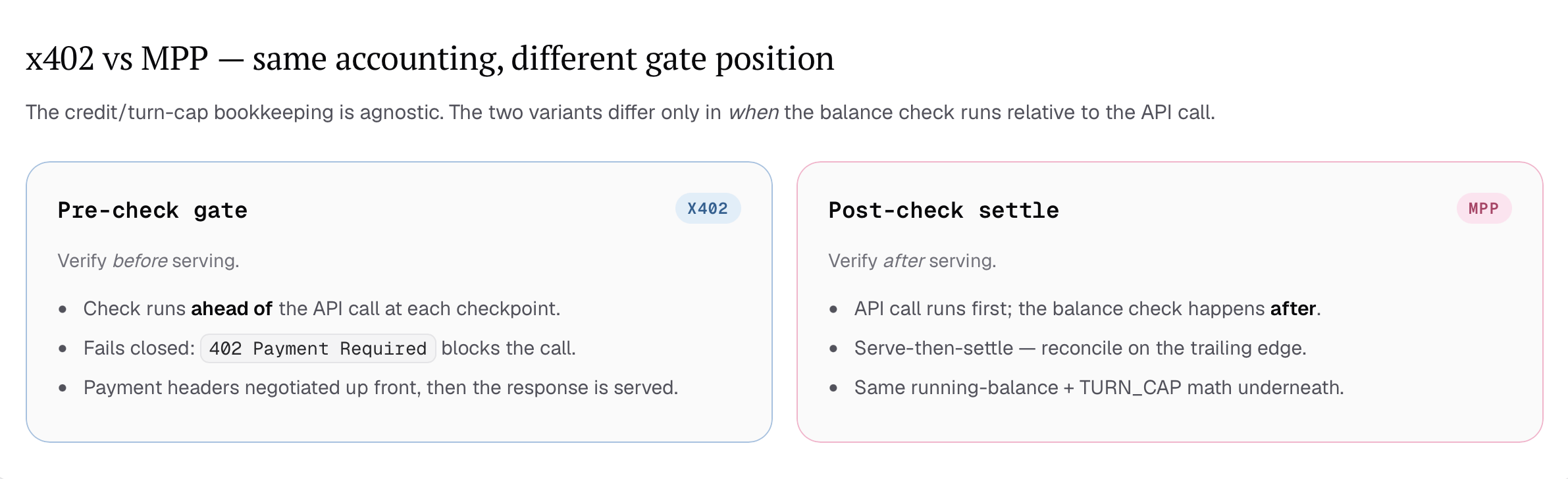
x402 and MPP use the same balance
x402 is a pre-check gate. At a settlement checkpoint, Aomi verifies the balance before serving the request. If payment is required, the request stops with402 Payment Required until the user authorizes payment and retries it.
MPP is a post-check settlement flow. The API call runs first, then Aomi
reconciles the resulting balance on the trailing edge. Both variants preserve
the same App, tool, user, and beneficiary attribution.
Why Aomi uses settlement checkpoints
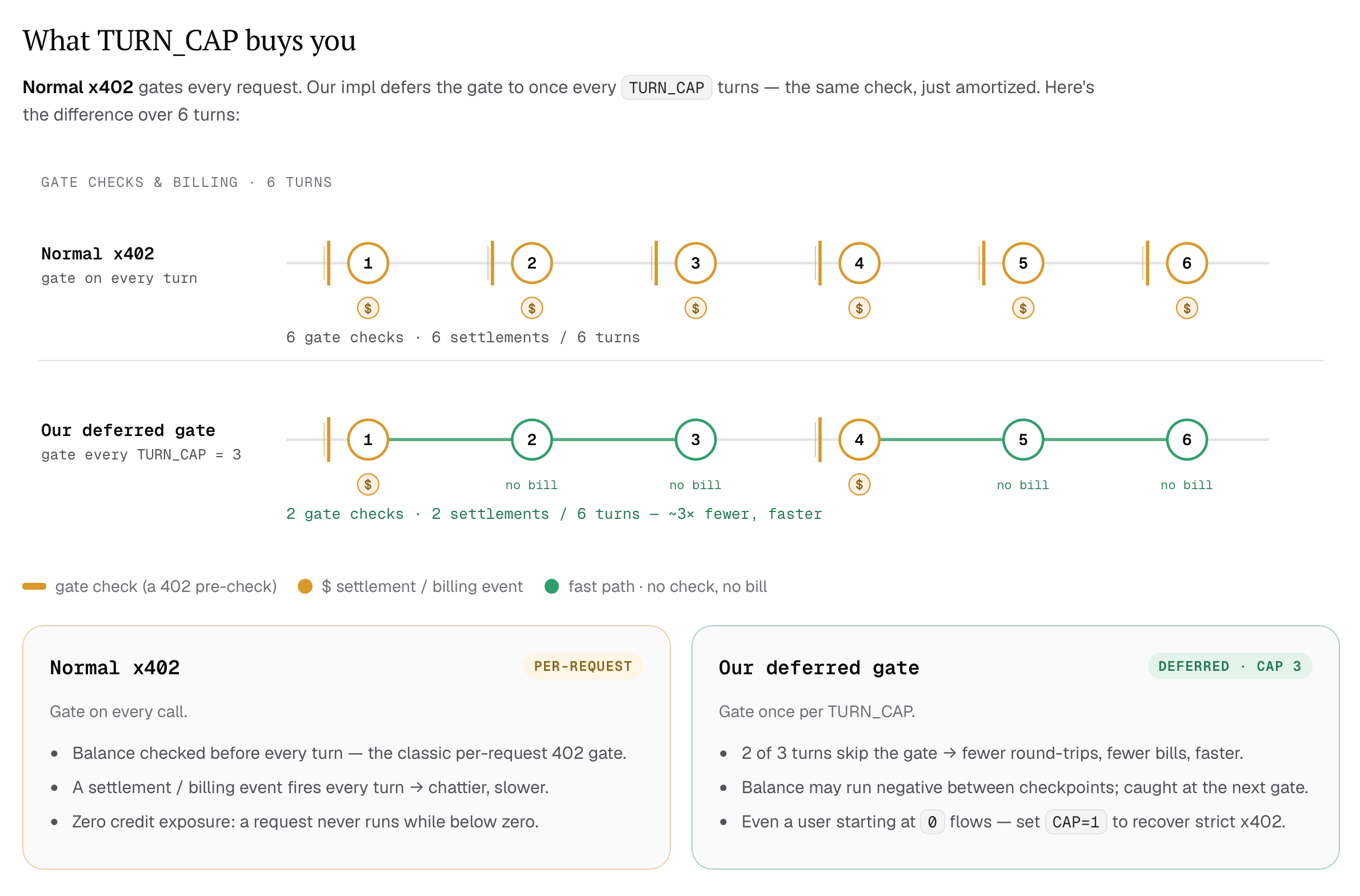
A strict x402 integration checks and settles every request. That gives zero credit exposure, but it also adds a payment round trip to every turn. Aomi can defer the gate to a settlement checkpoint and serve the turns between checkpoints immediately. The diagrams call the maximum number of turns between checkpointsTURN_CAP.
With a cap of three, one turn performs the gate check and the next two use the
fast path. Over six turns, this reduces six checks and settlements to two.
The gate logic, per turn
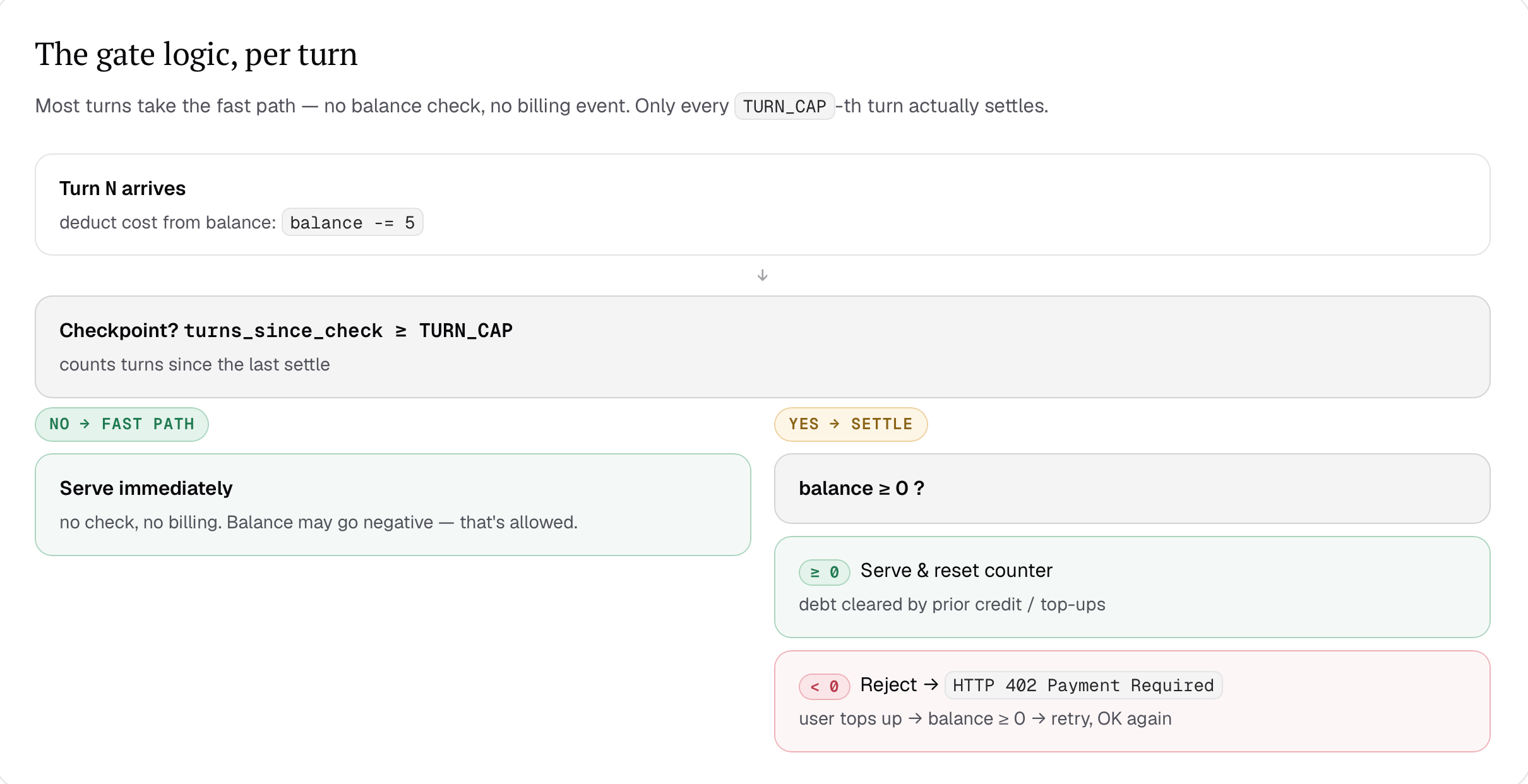
For x402, Aomi uses this order:- A turn arrives and Aomi determines its cost.
- If the turn is not a checkpoint, Aomi serves it and records the cost.
- At a checkpoint, Aomi checks the balance entering the turn.
- If that balance is zero or positive, Aomi serves the turn, records its cost, and resets the checkpoint counter.
- If that balance is negative, Aomi returns
402 Payment Requiredwithout serving the turn. The user can top up and retry the same request.
Running balance across turns
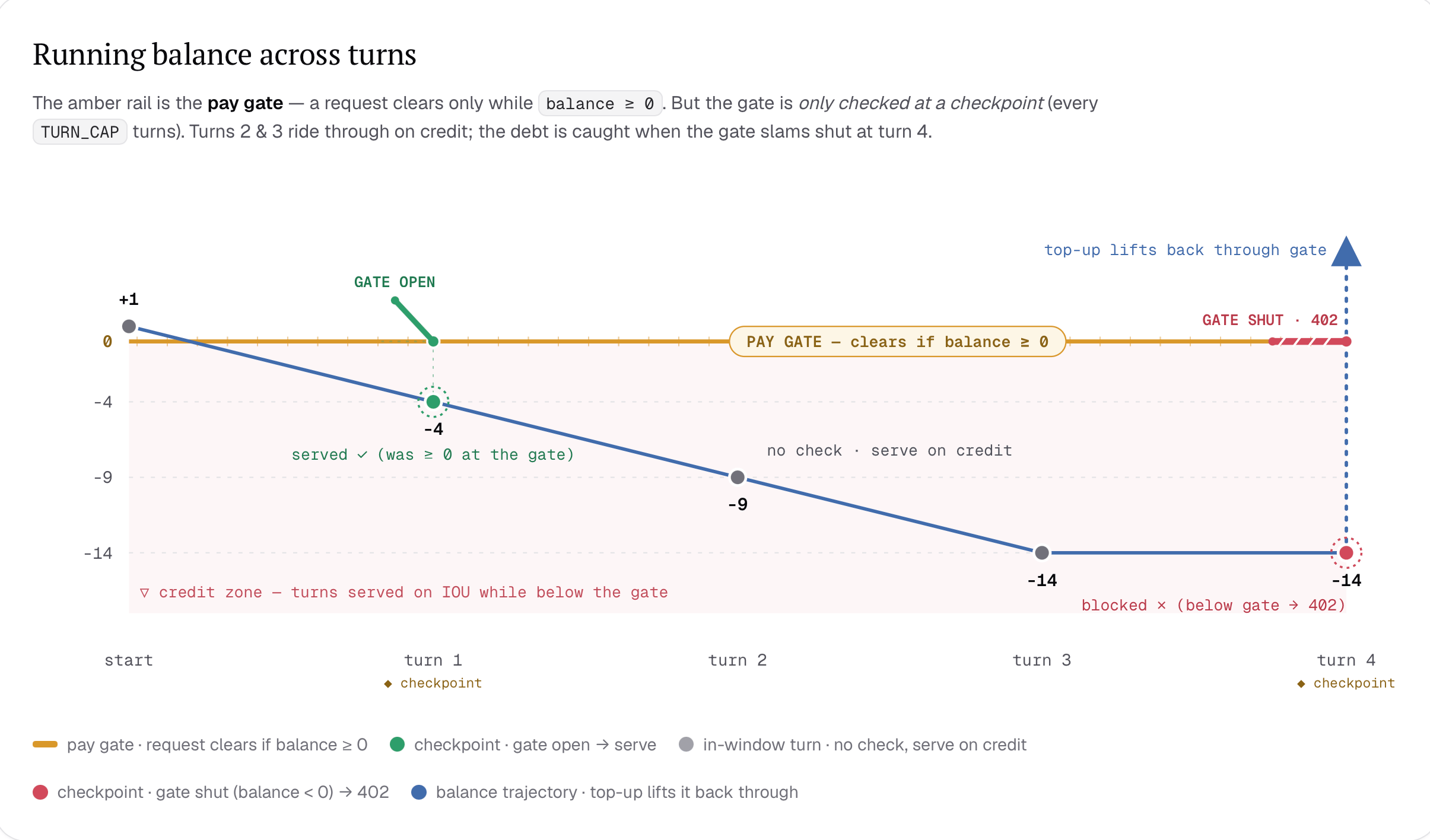
Suppose a user begins with one credit and each turn costs five credits. At the first checkpoint, the gate sees+1, so the turn is admitted and the balance
becomes -4. The next two turns use the fast path, moving the balance to -9
and then -14.
At turn four, the next checkpoint sees -14. x402 blocks the turn with a
402 response. The balance does not fall again because the blocked turn did
not run. After the user tops up, the retried request can pass the gate.
The x402 payment flow
When an x402 checkpoint blocks a request, Aomi returns payment requirements to the client. The user authorizes an exact USDC amount, and the client retries the original request with the signed authorization. The wallet authorization binds the payment to an exact amount, recipient, network, and USDC contract. A change to any signed term invalidates the authorization and prevents the transfer.x402 HTTP exchange
The facilitator verifies that the signed terms match the original challenge.
It then submits the authorized USDC transfer and pays the network gas. The user
signs the authorization in their wallet but does not need to submit a separate
transaction.
Who receives the payment
The beneficiary in<app>.pricing.toml receives the payment directly from the
user’s wallet. Aomi verifies the payment and records the receipt, but it does
not route the funds through an Aomi-owned wallet. The beneficiary controls the
revenue as soon as the transfer settles.
The wallet displays the network, asset, recipient, and exact amount before the
user signs. After settlement, Aomi keeps the App and tool attribution so the
builder can match the receipt to its source in Usage.
Payments across Apps
Aomi attributes every fee to the App and tool that produced it. This attribution remains attached to the Usage record even when payment occurs later. For settlement, Aomi groups outstanding fees by user and beneficiary wallet. If several Apps use the same beneficiary, one settlement can cover fees from more than one App. Each fee still appears under its original App in Usage. Apps with different beneficiaries remain in separate balances and settle through separate payment requests.Tool fees and outcome fees
x402 and MPP settle flat tool fees declared under[resources.<tool>]. A
successful tool call adds the configured credit amount to the user’s balance
for that beneficiary. Aomi converts the balance into the payment amount when
it creates a settlement request.
Outcome fees follow a different path. Aomi adds an outcome fee to the user’s
signed smart-account transaction. The fee settles in the asset being moved at
the same time as the onchain action, so it does not enter this running balance
or require a separate USDC authorization.
Handle an x402 challenge
Aomi’s portal handles the full challenge flow for the user. It presents the payment terms, opens the connected wallet, and retries the original request after authorization. It also readsPayment-Response and associates the
receipt with the completed request.
A custom client must treat 402 Payment Required as an actionable payment
state instead of a generic server error. Preserve the original request and
retry it with Payment-Signature only after the user approves the displayed
terms. If verification or settlement fails, keep the request blocked and show
the facilitator’s error.
Next
Fees
Review tool revenue, outcome fees, model costs, and hosting.
App pricing reference
Add prices and beneficiaries to your App.