

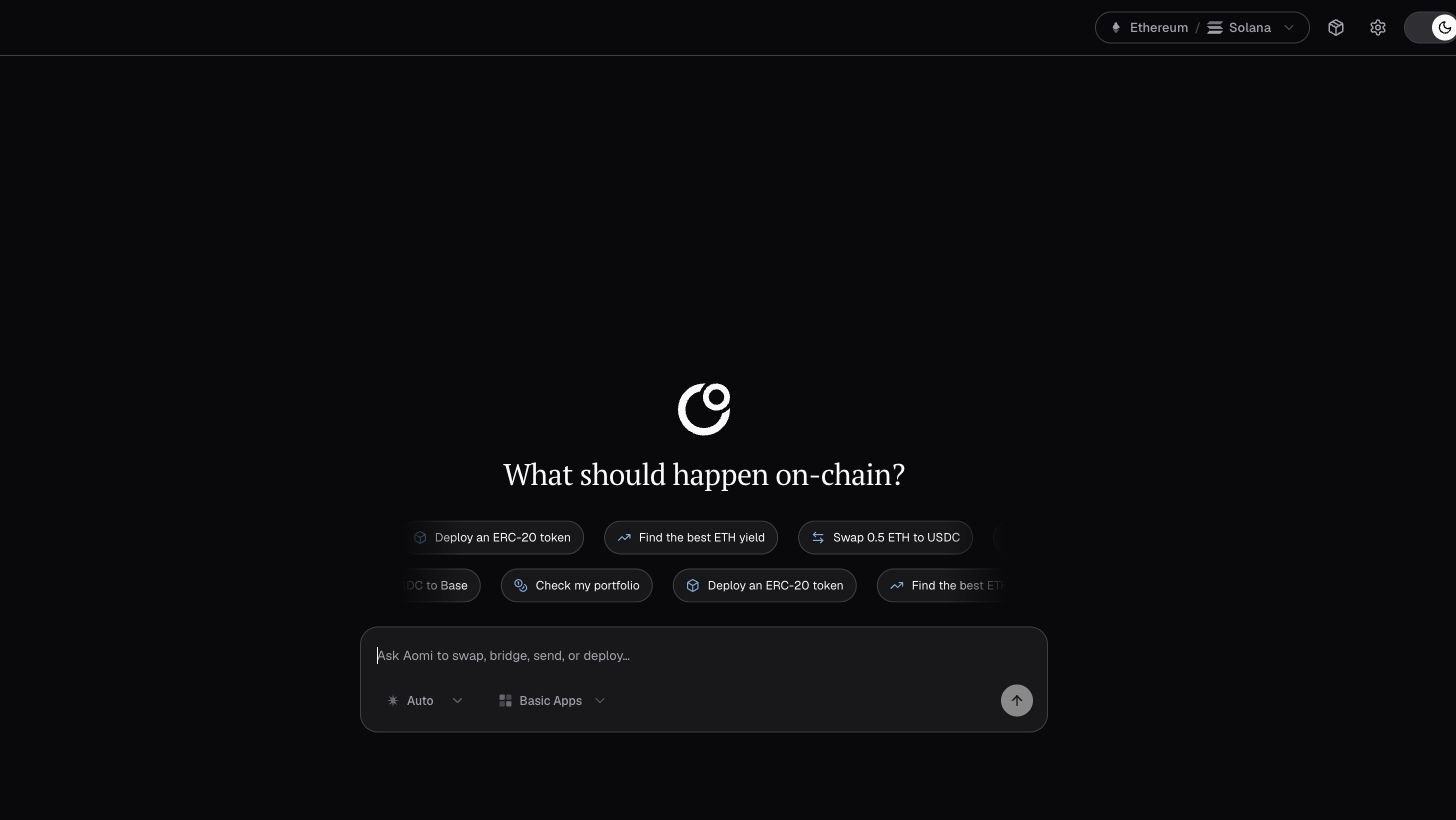
What you can do
- Ask for prices, balances, positions, and routes in plain English.
- Run a trade end to end: the agent builds the transaction, simulates it on a fork, and your own wallet signs it. Aomi never holds your keys.
- Switch the chain, the model, and the app per thread.
- Install App packages for protocols such as Uniswap, Jupiter, Aave, and Hyperliquid.
- Keep thread history across visits once you have an account session, with or without a wallet connected.
How to use it
1
Open the portal
Go to chat.aomi.dev. Chat works immediately; read-only questions need no wallet.
2
Connect a wallet or sign in
Two paths, same account model:
- Bring your own wallet. Use MetaMask, Rabby, Coinbase Wallet, or WalletConnect on EVM chains. On Solana, use a standard wallet-adapter wallet. You prove ownership with a signed message through SIWE on EVM or SIWS on Solana. Keys stay in your wallet.
- Sign in with email or Google. The portal provisions an embedded wallet so you can trade without installing a wallet extension.
3
Ask in plain English
Type what you want, like “swap 1 ETH for USDC”. The agent reads the chain, builds the transaction, and simulates it on a fork of the target chain before anything reaches your wallet.
4
Review and sign
The simulated outcome appears in the chat. When you proceed, the signing request goes to your wallet. The agent proposes the transaction, and only your key signs it. Aomi’s fee is appended to the same simulated batch, so the signed batch matches the simulation. Reject the wallet prompt and nothing happens onchain.
The chat surface
- Network picker (header). Set the chain for the thread. EVM options include Ethereum, Base, Arbitrum, Optimism, Polygon, Linea, Monad, MegaETH, Robinhood Chain, and their common testnets. Solana options include mainnet, devnet, and testnet. The portal changes the cluster before a Solana signing request when needed.
- Model selector (composer). Choose the model or leave it on Auto.
- App selector (composer). Scope the thread to one App or let the agent route across your installed packages.
- Packages catalog. Browse and install Apps for DeFi execution, market data, chain explorers, and productivity tools. Core wallet and chain tools are always installed.
- Thread history. Threads persist on your account and load with an account session, even when no wallet is connected. Without an account, threads remain only in the current tab.
Signing policy
Settings → Account is the signing ACL for every wallet on your account. Each wallet carries one of four committed settings:- Manual. Every transaction opens your wallet for approval. The default for a newly linked wallet.
- Accept transactions. Your connected wallet session signs each transaction without a separate popup. Aomi never receives the private key.
- Bypass permissions. Unattended signing for scheduled or background work, through a Privy delegation or a provisioned Para agent wallet. Requires a separate provider authorization; revocable at any time.
- Locked. The wallet stays linked but cannot sign through Aomi.
Limits
- Simulation covers EVM chains. Solana requests are signed and sent without a fork simulation. Review the transaction details in your wallet.
- If simulation cannot complete (unsupported chain, zero balance), the portal tells you it is proceeding without a fee preview and still lets your wallet make the final call.
- Unattended signing (Bypass permissions) requires a live provider authorization — a Privy delegation or a Para agent wallet. Without one, wallets prompt or auto-approve only within your own connected session.
Next
How execution works
What happens between your message and the confirmed transaction.
Overview
What trading on Aomi is and which chains it covers.